Real-time phishing protection
in your browser
Scan emails, links, and entire web pages instantly. PhishFilter Pro blocks phishing sites before you can enter your password.
Download extension (.zip)Compatible with Chrome, Edge, Brave · v1.0 · ~2.4 MB
Everything you need to stay safe
Live page scanning
Every page you visit is checked against threat feeds. Phishing sites get blocked before they load.
Smart link preview
Hover any link for 1 second to see where it actually leads — no more clicking blind on shortened URLs.
Password sentinel
If you start typing your password on a suspicious site, we instantly block keystrokes and show a warning.
Gmail + Outlook integration
One-click forensic scan on any email — runs the full 10-engine analysis without leaving your inbox.
Selection scanner
Right-click any text or link to instantly check if it's a scam — works on every website.
AI ensemble verdict
5 AI models analyze suspicious content in parallel. Get a confidence score, not a black-box yes/no.
Install in 30 seconds
No account required. No sign-up. Just download and load.
Download the .zip file
Click the download button above. Unzip the file to a folder you'll keep — don't delete it later, the extension runs from this folder.
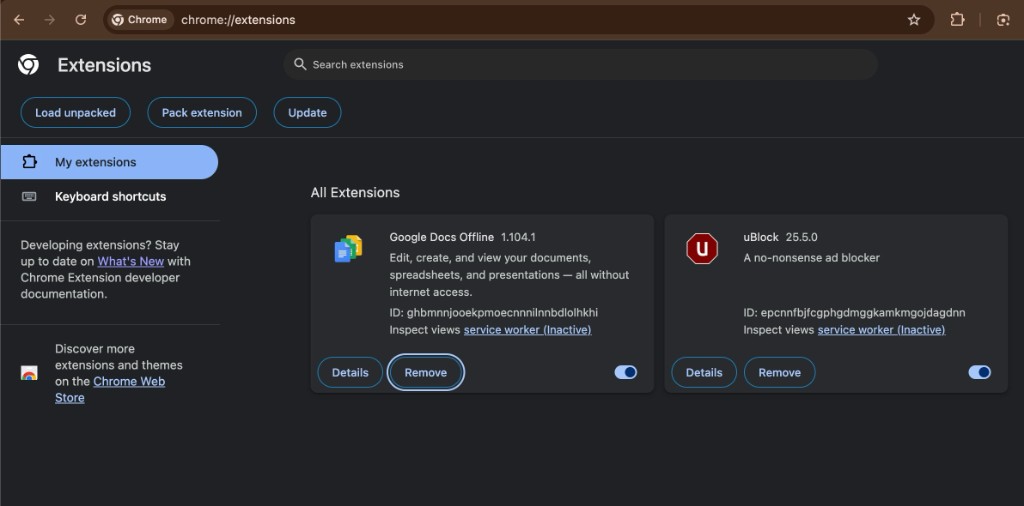
Open Chrome extensions
Type chrome://extensions in your address bar and hit enter. Or: Menu → More tools → Extensions.
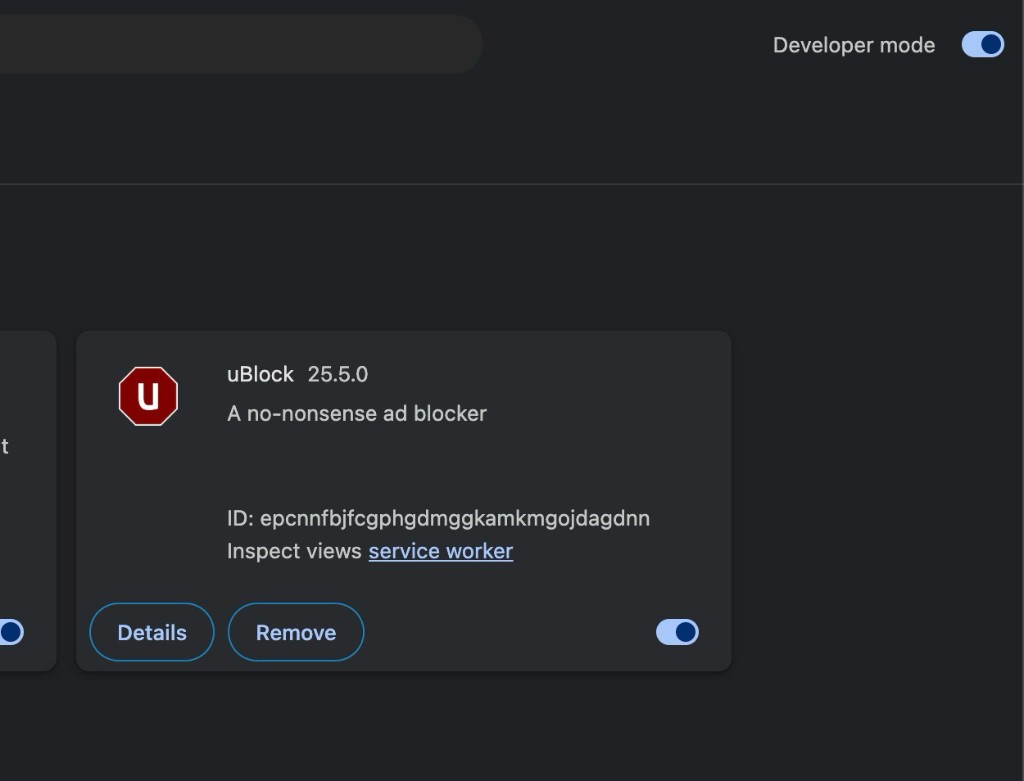
Enable Developer mode
Toggle the "Developer mode" switch in the top right corner of the extensions page.
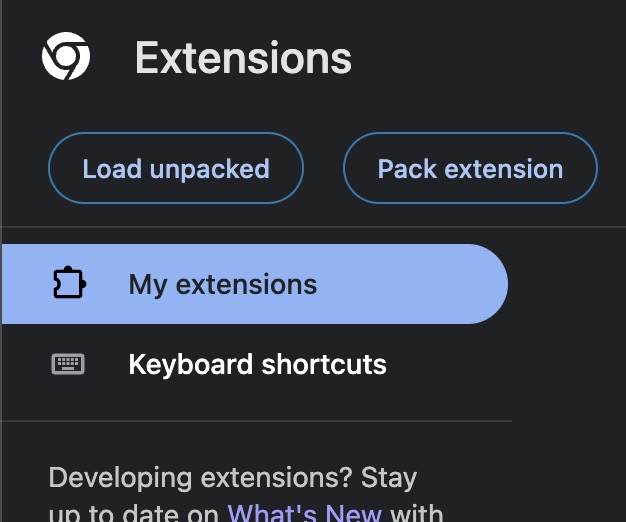
Load the extension
Click "Load unpacked" (top left). Select the folder you unzipped. Done — pin the shield icon to your toolbar.
Frequently asked questions
Ready to never click a phish again?
Join thousands of users protected by PhishFilter Pro every day.
Download for Chrome